Mech Design
Gavin Manners
Lifetime Access
14 hours
Level: Intermediate
Go ahead, mech your day.
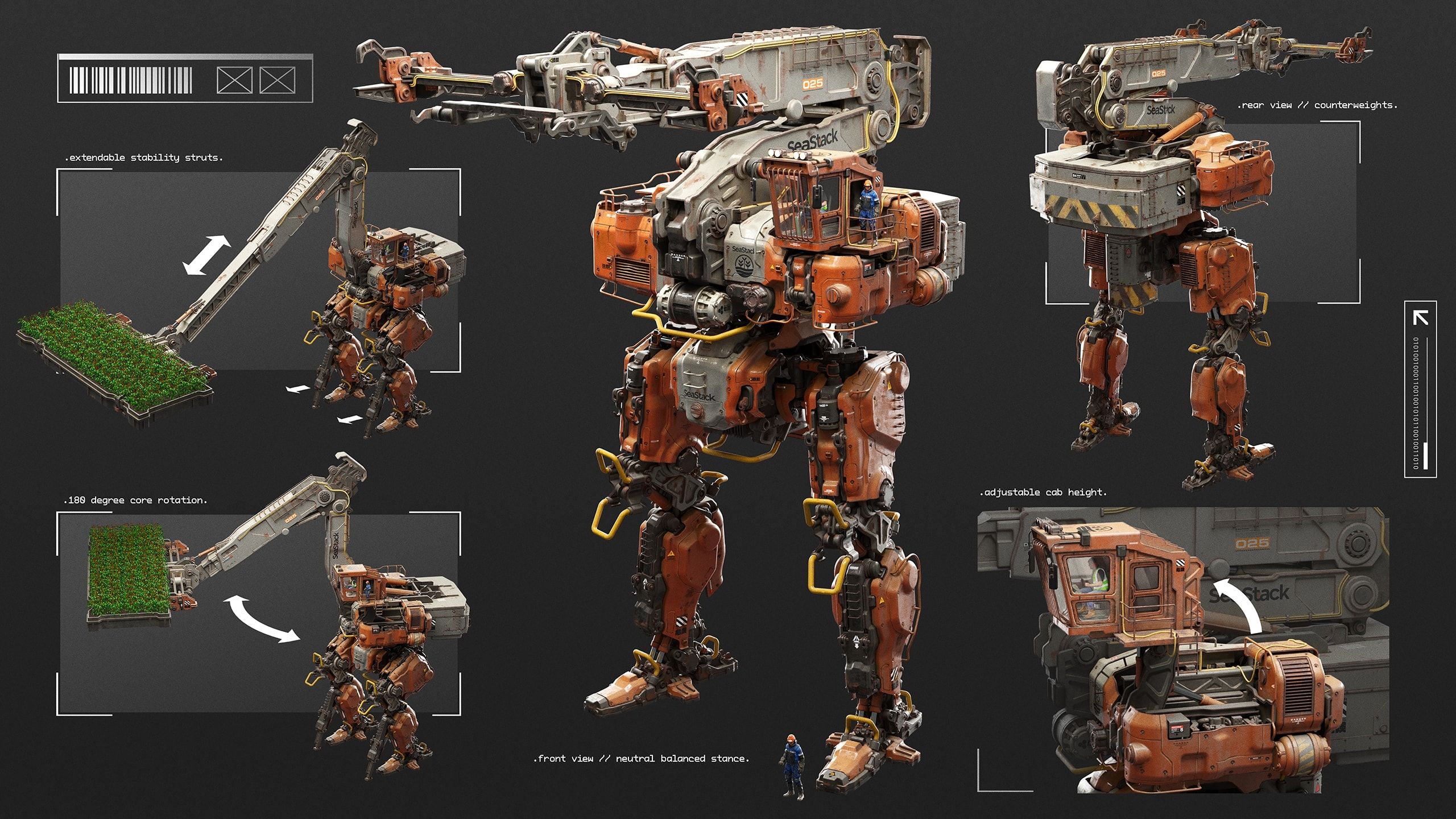
Design your own mechs with weight, purpose and personality alongside concept artist Gavin Manners. You’ll begin with theory and real-world reference, defining your machine’s function, scale, and mechanical logic before moving into sketching and modular concept exploration. From there, you’ll build the design in 3D using simple forms, and finally paint over the renders in Photoshop. This course will teach you to create mechs that feel functional, grounded, and ready to step into. By the end you’ll have an entire series of portfolio-ready images of your design.
Our students are badasses.
After signing up for our courses, many of our students have broken into the industry, leveled up their skills, and got hired for their dream jobs. With over 20,000 students from around the world, you'll be in good company.
Start learning for free.
Not sure which course is for you? As a member of Learn Squared, you'll get free access to the first lesson of every course to try before you're ready to buy. Sign up now to get instant access and start learning today.
And so much more...
Check out all of the awesome perks you get as a student of Learn Squared.
A dedicated community
Join over 20,000 students from around the world, all dedicated to improving their art. In our community, you will never learn alone.
Invite your friends
Sharing is caring. Especially when it saves you and your friends some money. Refer friends to get discounts and save on purchases.
Track your progress
Learning a new discipline can be a long, daunting process. We make it easy for you to keep track of your progress.
Watch any time
No more semesters. No more access periods. Buy a course to get instant, lifetime access and start learning whenever works for you
Download files
All of our courses include downloadable project files. Follow along as you learn using the same working files as your instructors.
Mentorship archives
Learn from other students experience. Many of our courses include bonus recordings of past mentorship meetings to watch any time.
tons of workflow crap and programs i would have never thought of trying.... PEEP DATTT!!!1
beeple
Designer
My career as a concept artist started after taking these courses. Much of what I learned I applied to my portfolio and in a couple months ... I got my first job.
Elias Ravanetti
Concept Artist & Illustrator
Learn Squared gives me the freedom and flexibility to learn from the best in the industry at my own pace.
David Tilton
Freelance Concept Artist
Sign up any time
No rush. Not like there's any competition out there.
Try it.
Free
Instant access to portions of this course and dozens of others
No credit card required
No expiration
Limited access
Buy it.
- Instant access to this CourseOnce you've signed up for this Course, you'll have unlimited access to it as long as you have an account!
- 14 Hours of lecturesThis includes all of the premium training which is included as a part of this course.
- Download project filesDownload all of the materials created for this course, so you can poke around in the source files, or follow along with the instructor.
- Exclusive communityWhen you become a student, you get instant access to our exclusive Discord channel, where you can chat with thousands of other Learn Squared students.
- Lifetime accessAs a member of this course, you will be able to access and view its content any time.
For teams.
Get in touch for more information about discounts for teams, both big and small. Big savings either way.
Your Instructor
Gavin Manners
Gavin Manners is a principal concept artist at id Software known for his intricate, highly believable mech designs. His work combines the visual appeal of science fiction with the logic of real-world machinery, creating giant machines that feel heavy, functional, and grounded in practical engineering. With a strong eye for silhouette, mechanical detail, and purposeful design, Gavin builds mechs that go beyond cool shapes, giving each machine a clear sense of scale, structure, and purpose.
Van Gogh would have given his other ear to learn from artists like this.
Artwork by instructor Gavin Manners
Course Lesson Plan
Here's the low-down on everything covered in this course.
- 14 hours 54 minutesTotal Bundle Duration
- 119 VideosVideo Lectures in Bundle
- 3.46 GB of FilesDownloadable Project Files
Tools Used ?The tools listed below are used throughout the lectures of this course. Using alternatives is definitely possible depending on your proficiency, but we can only recommend using these listed softwares.
- Blender
- Adobe Photoshop
Lesson 1
Rough Sketches
In this lesson Gavin will help you to come up with a mech design that looks cool while still feeling like it could exist. Then you’ll create multiple rounds of rough sketches to brainstorm the design.
- 4 hours 3 minutesTotal Lesson Duration
- 32 VideosVideo Lectures in this Lesson
- Project FilesDownloadable Project Files
Guidance
Introduction
Breaking Into the Industry
Mech Theory
Brief Building
Sketching Tips
Rough Sketching
- Rough Silhouette SketchesPreview18:58
- Assembling FavoritesPreview06:53
- Rough Silhouette Sketches HomeworkPreview00:48
- Basic Line ArtPreview14:22
- New Batch of Line Art SketchesPreview08:59
- Combining DesignsPreview17:54
- Quick Shape RefinementsPreview03:30
- Changing a Tricky DesignPreview01:23
- Rough Line Art HomeworkPreview00:36
Lesson 2
Refined Line Art
Now it’s time to refine your rough sketches into a page of clean line art drawings, showing breakouts of detailed body parts where needed.
- 1 hour 37 minutesTotal Lesson Duration
- 17 VideosVideo Lectures in this Lesson
- Project FilesDownloadable Project Files
Guidance
Introduction
Preparing to Refine
Thoughts on Refining
Refining Techniques
Creating the Sketches
Sketch Presentation
Lesson 3
3D Modeling
Armed with a set of detailed 2D plans, you’ll jump into 3D to begin modeling your mech. During this stage you'll also add simple cables, internal pieces and other functionality.
- 4 hours 19 minutesTotal Lesson Duration
- 29 VideosVideo Lectures in this Lesson
- Project FilesDownloadable Project Files
Guidance
Introduction
Gavin's Blender Setup
Blockout
Refinement First Pass
Sketching a New Benchmark
Refinement Second Pass
Internal Detail Asset Kit
Finishing the Second Refinement Pass
Review
Lesson 4
Materials and Rendering
In this lesson you’ll set up materials and decals, then light and render out your mech to prepare for the final paintover.
- 2 hours 34 minutesTotal Lesson Duration
- 25 VideosVideo Lectures in this Lesson
- Project FilesDownloadable Project Files
Guidance
Introduction
Pistons
Kitbash Library
Materials
Decals
Lighting and Cameras
Rendering
Lesson 5
Presentation
In this lesson you’ll do your final paintovers, arranging your images into attractive presentations which show off all your mech’s functionality.
- 2 hours 20 minutesTotal Lesson Duration
- 16 VideosVideo Lectures in this Lesson
- Project FilesDownloadable Project Files
Guidance
Introduction
Paintover Basics
Hero Mech Views
Orthographic Views
Presentation
Homework can be cool.
Check out some of the amazing work Mech Design students have created by doing their homework.
Our students have awesome jobs.
Join a devoted community of over 20,000 students from around the world.